
Marketing · Custom Build · Workflow Automation
Weekly social media content production system
Replaced a content spreadsheet and a Friday “go make the graphics” chore with a private ops dashboard that produces a week of captions and brand-locked product images — then stops so a human still posts.
The problem
Nine channels, a mix rule, and a Friday graphic batch lived in a spreadsheet.
The calendar drifted, the mix lived in someone’s head, and product shots got pasted into Canva as floating phones. Nobody could tell whether the week was actually done.
The build
A private console produces the week. A person still hits publish.
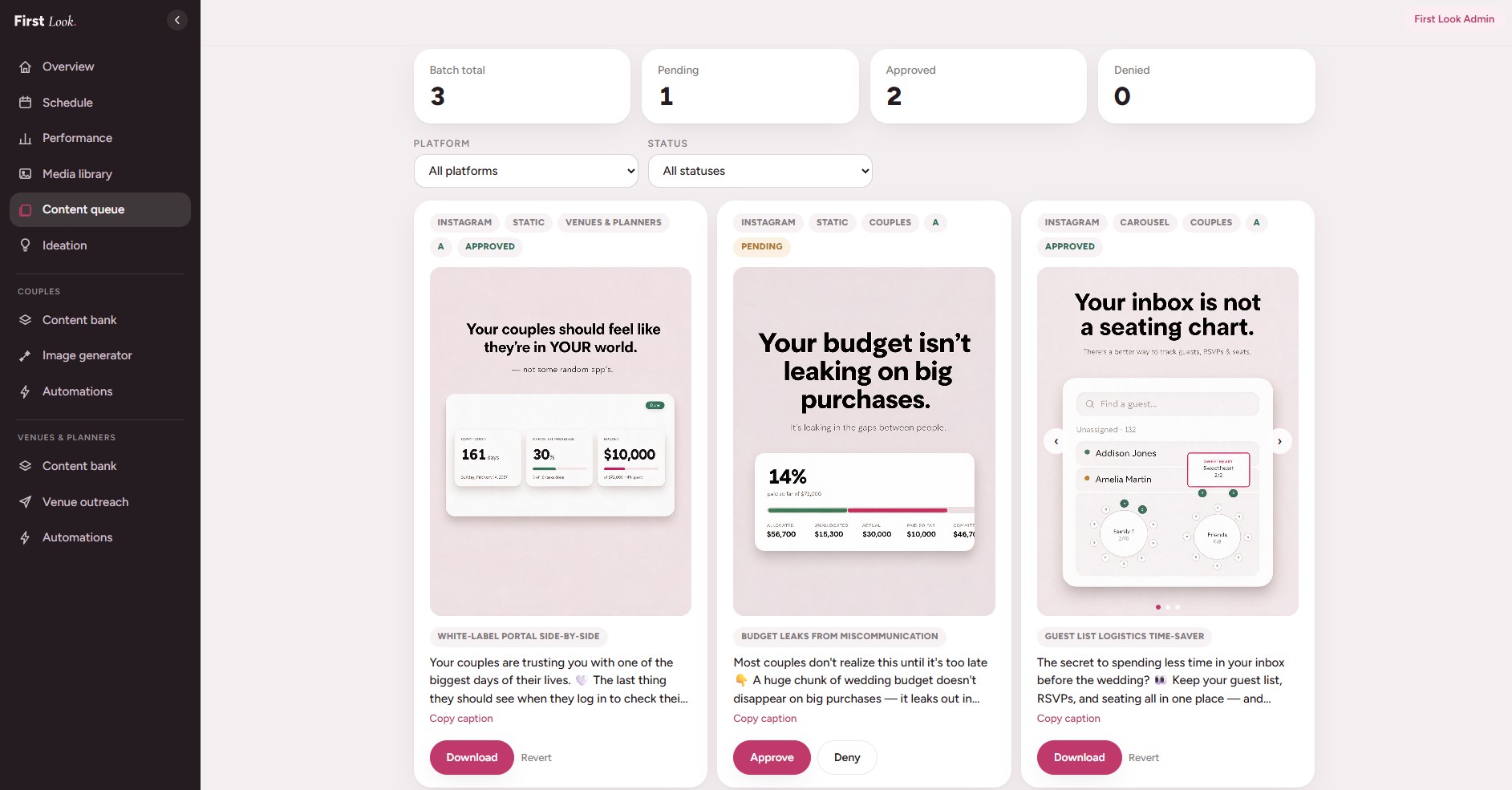
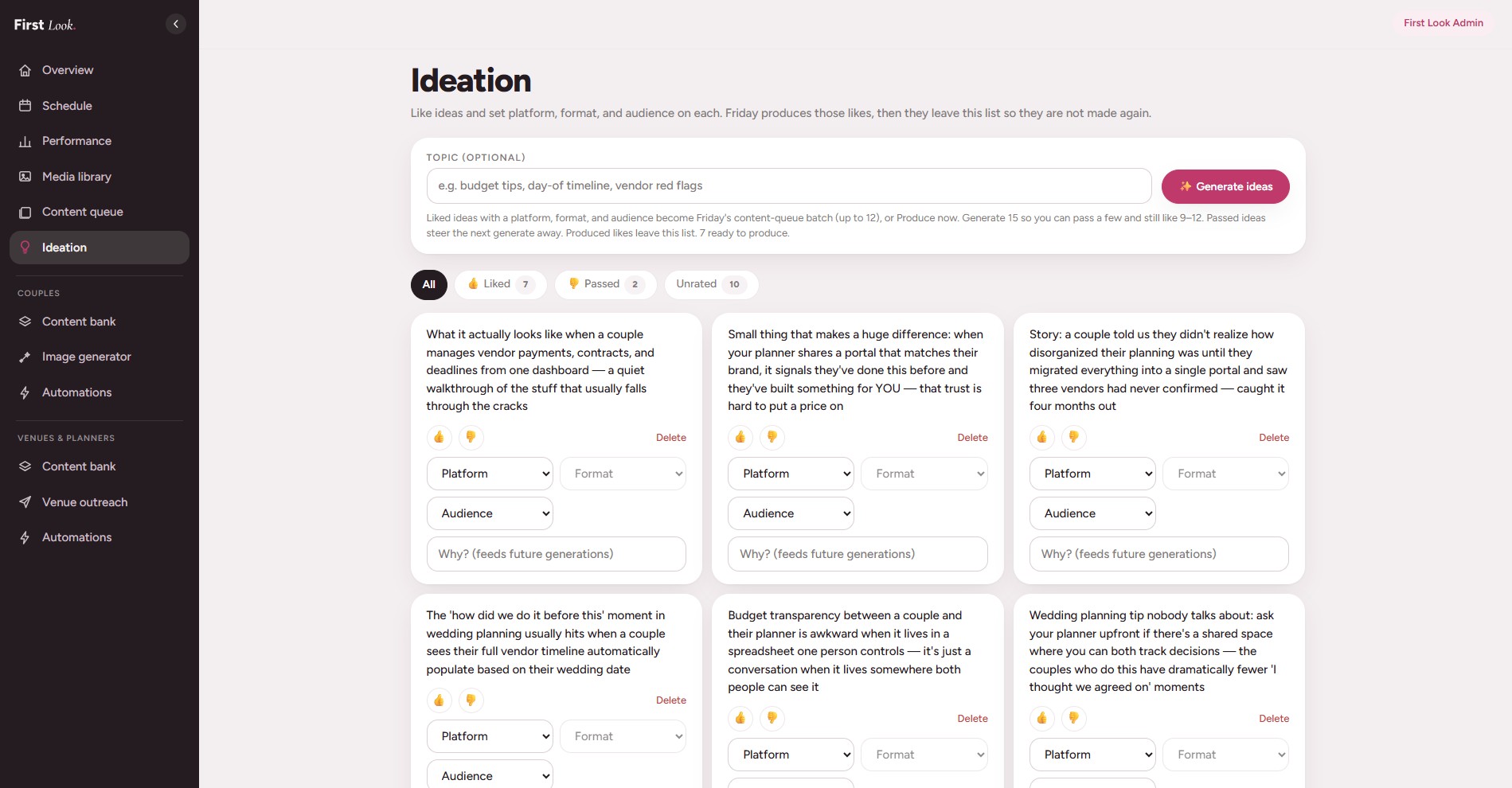
People tag platform, format, and audience; a Friday job writes the captions and brand-locked images. Approve files the post. Nothing calls Instagram, TikTok, or LinkedIn.
The result
Friday produces a week of on-brand creative.
Ideas aren’t repeated, the mix rule is a function, and missing product shots fail closed. Automate production, never publication.
Who it's for
For a marketing team running several channels from a spreadsheet.
In-house content leads who own a weekly calendar, a mix rule, and a Friday batch of product graphics. The system produces the creative. A person still decides what gets published.
What it replaces
- A content spreadsheet that drifts by midweek
- A channel mix rule that only one person remembers
- Product shots pasted into Canva as floating phones
- A Friday “go make the graphics” chore with no way to see if the week is done
How it works
1. Tag the idea first
People mark platform, format, and audience, then like or pass. Taste stays with the team. Friday does not invent the week from a blank prompt.
2. A scheduled job produces the week
Captions and brand-locked images are written from the product shot. If the shot is missing, the job fails closed instead of shipping a broken graphic.
3. Approve files the post
The review board is approve, deny, or download. Nothing calls Instagram, TikTok, or LinkedIn. Publication stays with a person.
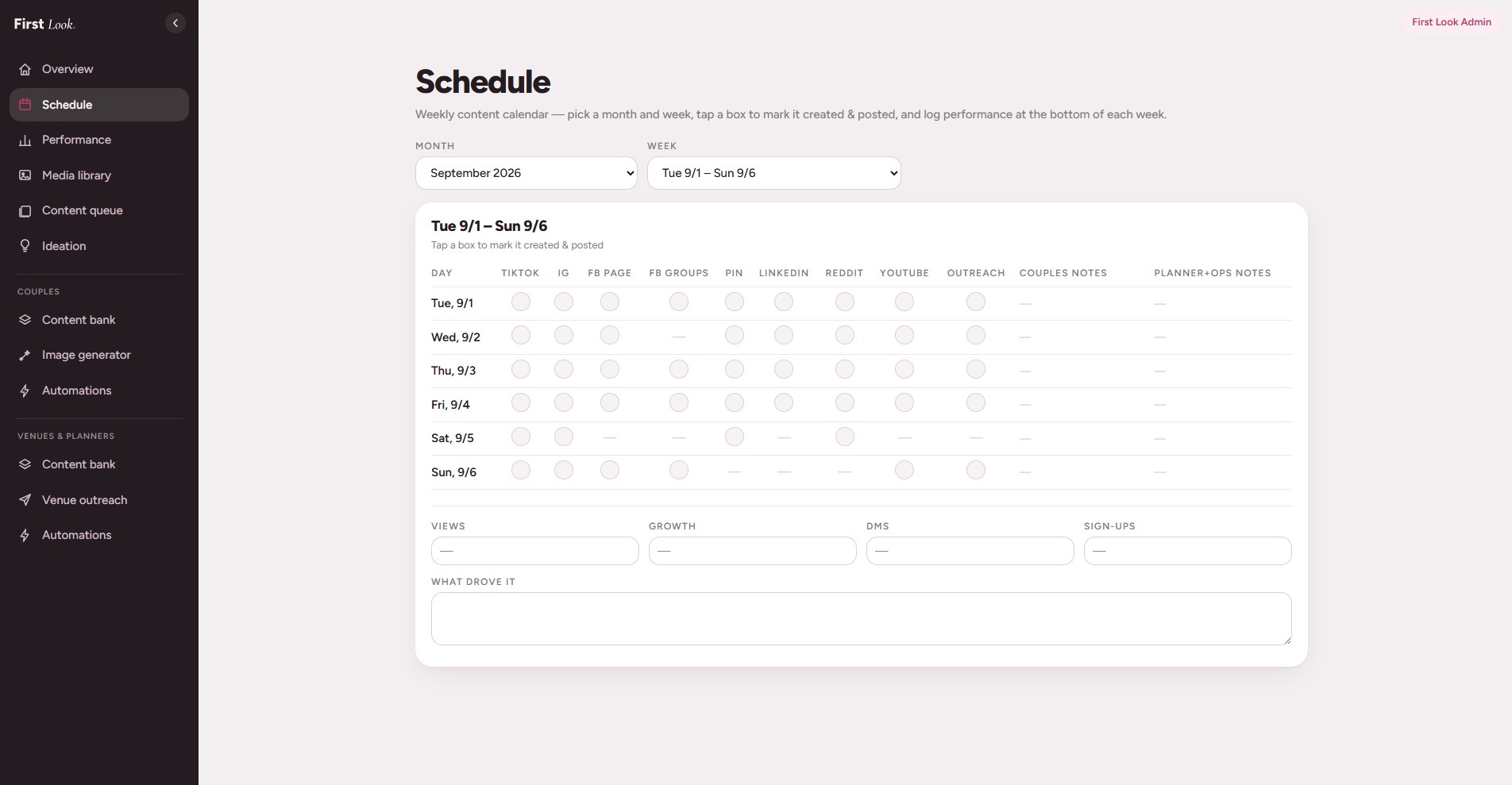
4. The calendar is the record
Nine channels show what is posted and what is still open. That is the spreadsheet this replaced, with a posted checkbox and a place to log performance.
Stack
- Next.js
- Postgres
- Vercel Cron
- Anthropic
- Seedream (image-to-image)
- Private object storage
Questions teams ask
Does this auto-post to Instagram, TikTok, or LinkedIn?
No. Production is automated. Publication stays with a person. Approve files the post; someone still hits publish in the native app.
What does a social content production system replace?
The weekly spreadsheet, the mix rule kept in someone’s head, and the Friday batch of product graphics. The calendar, captions, and brand-locked images live in one private console.
How does it keep product images on brand?
Product shots go through an image-to-image step with the brand locked in. A missing source shot fails the job instead of inventing a graphic.
Who is this social workflow for?
Marketing teams and operators who publish across several channels every week and want captions and graphics ready before anyone opens Instagram, TikTok, or LinkedIn.