
Operations · Custom Build · Knowledge Management
Client knowledge hub for operations teams
Replaced five tools and a “who do I ask?” Slack thread with a private hub that shows who works on every client and puts everything they need one click away.
The problem
Five tools, and a Slack thread, for one client’s rules.
Guides lived in Atlassian, rules and the roster in a spreadsheet, work in Jira, the account in Salesforce, conversations in Gmail. Finding the answer took longer than asking a coworker.
The build
One page per client, fed by the sheet the team already updates.
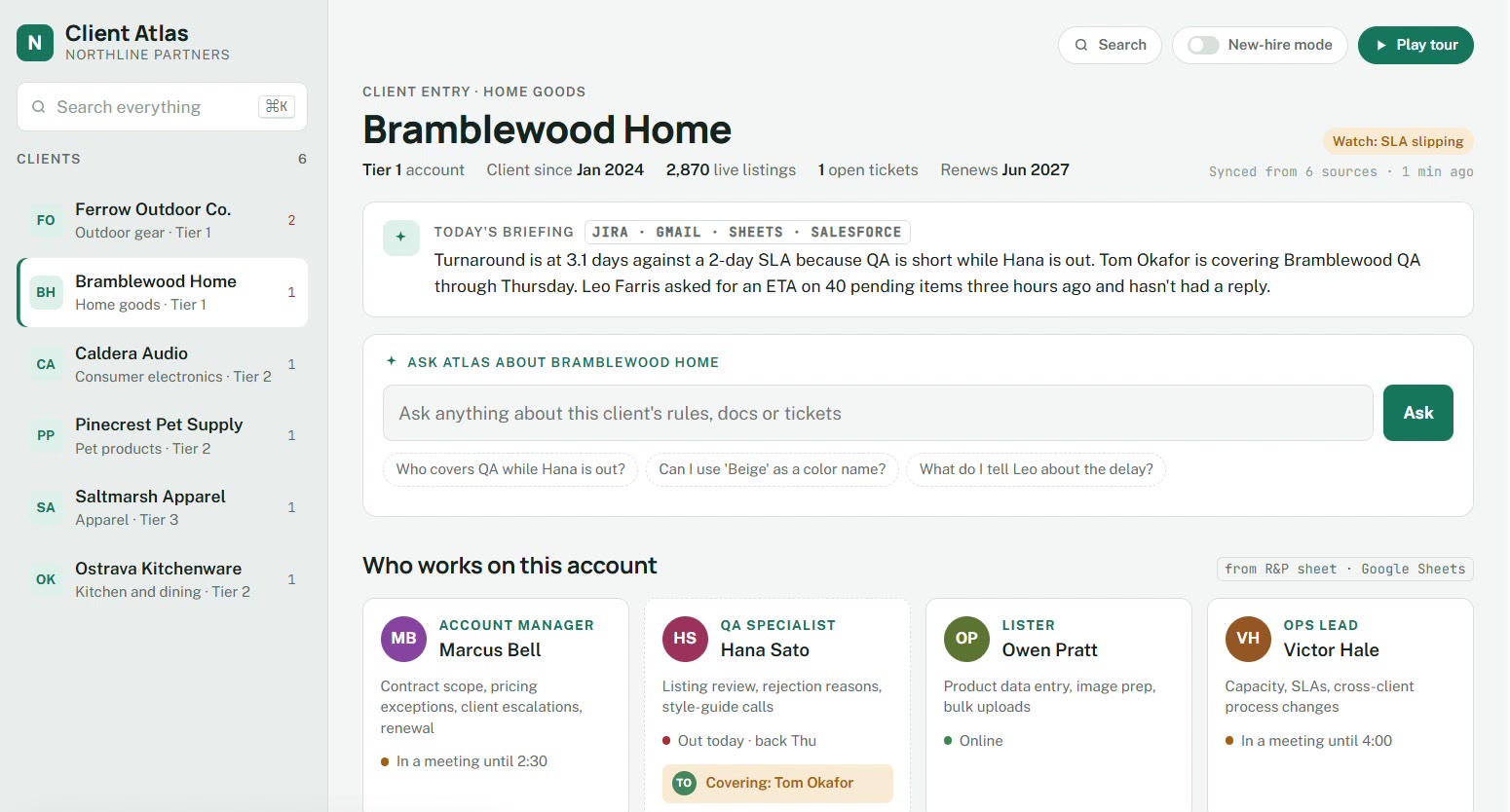
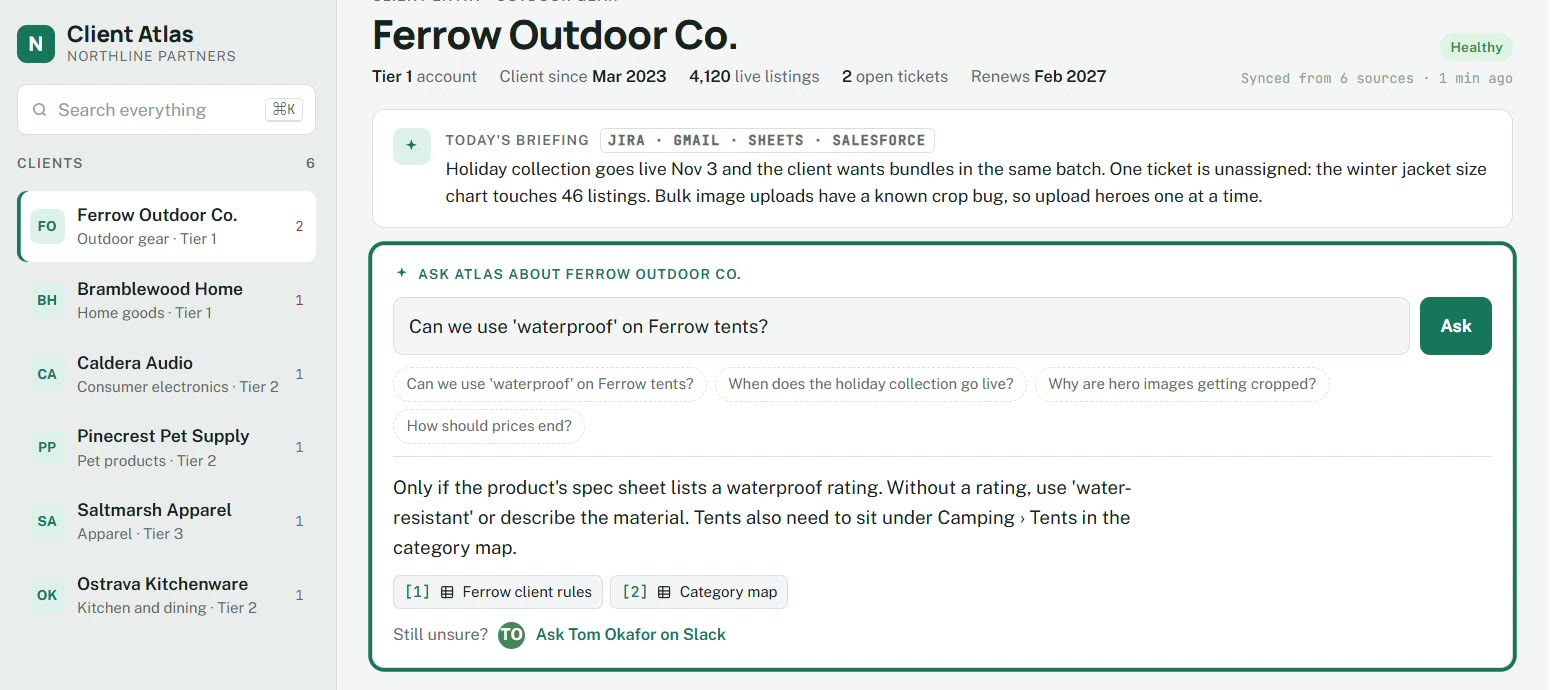
The page shows the team, a briefing, and a plain-language answer with the source attached. Guides, rules, tickets, the account, and email open in the original tool, and coverage and new-hire mode come from that same sheet.
The result
The question starts with the answer.
Anyone can see who owns the client, who is covering, and open the exact doc. New hires have a map on day one.
Who it's for
For the person who gets asked who owns the client.
Operations leads, account managers, and new hires at agencies and service firms. The rules, the roster, and the work already live in Confluence, Jira, Salesforce, a spreadsheet, and Gmail. The hub is the map on top of those tools, not a second place to file things.
What it replaces
- Searching a Confluence space for one client’s rule
- A roster spreadsheet plus a Slack message to find out who is covering
- Opening Jira, Salesforce, and Gmail separately to reconstruct one account
- The “who do I ask?” thread that starts every new question
How it works
1. The sheet the team already updates
Coverage, roles, and new-hire mode come from the same roster. Nobody retypes the account team into another tool.
2. One page per client
The page shows today’s briefing, the account team, and who is out. Guides, tickets, the Salesforce account, and email open in the original system.
3. Ask in plain language
A question returns an answer with the rule it used, so the source stays attached instead of living in someone’s memory.
4. Filter the record
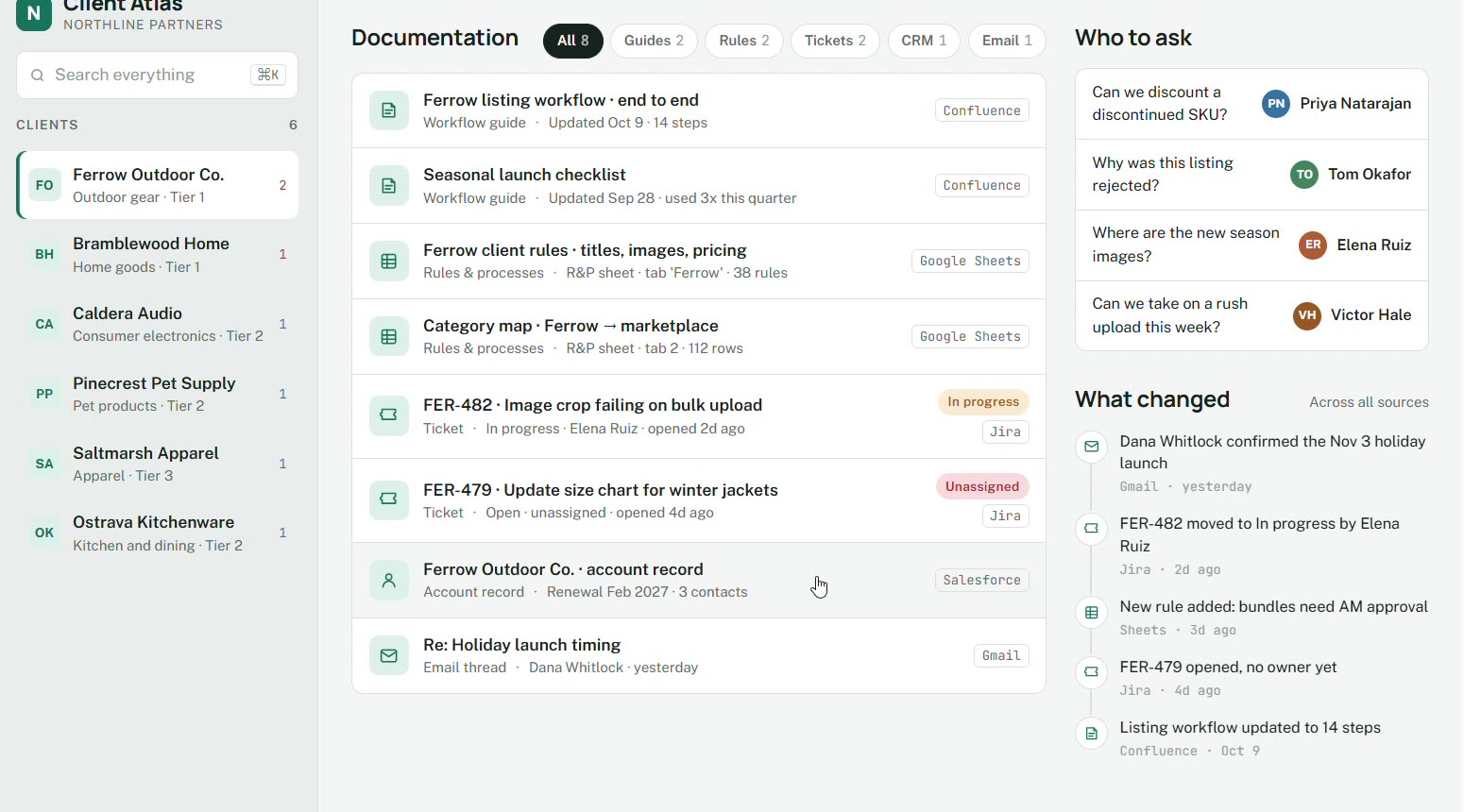
Documentation is grouped by source — Confluence, Google Sheets, Jira, Salesforce, and Gmail — with who to ask and what changed.
Stack
- Confluence
- Jira
- Salesforce
- Google Sheets
- Gmail
- Slack
Questions teams ask
What is a client knowledge hub?
A private page per client that shows the account team, who is covering, and the documents that govern the work. It answers a question in plain language and links back to the source in Confluence, Jira, Salesforce, Sheets, or Gmail.
Does this replace Confluence, Jira, or Salesforce?
No. Those stay the systems of record. The hub reads the roster the team already maintains and links out to the guide, the ticket, the account, and the email thread.
Who uses a client knowledge base day to day?
Account and operations teams who need to know who owns a client before they change a rule, and new hires who need a map on day one.
Can you build this on our stack?
The version we shipped sits on Confluence, Jira, Salesforce, Google Sheets, Gmail, and Slack. A custom build starts from the tools your team already updates.